


Sweepy: Home Cleaning Schedule
4.51.55K Reviews
App Specs
- Version
- 6.1.3
- Updated On
- License
- Free
- Downloads
- 1,000,000+
- Developer
- Appsent
- Categories
- House & Home
- Platform
- Android, iOS
Screenshots
 Analysis by AppCompare
Ever felt like your home was a chaotic mess and you just needed something to whip it into shape? I know the feeling all too well! That’s why I decided to give Sweepy: Home Cleaning Schedule a whirl. Now, I’m here to spill the beans on whether it’s worth your time or just another app to clutter your phone.
Getting Started with Sweepy: First Impressions
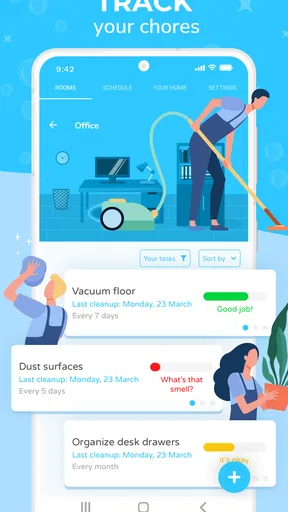
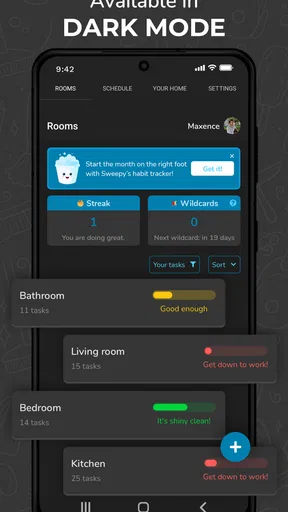
Straight off the bat, Sweepy greets you with a clean and intuitive interface. Setting it up was a breeze—no pun intended! You can quickly add rooms in your home and assign tasks to each space. The app lets you customize everything, from assigning specific chores to family members to setting the frequency of each task. It’s like having a nifty little personal assistant who’s obsessed with tidiness.
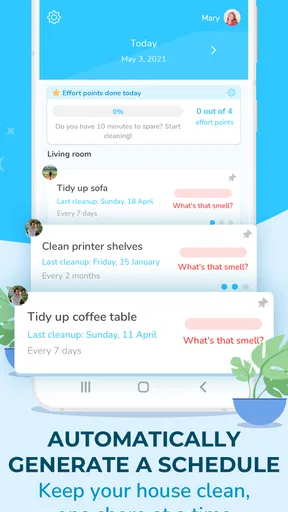
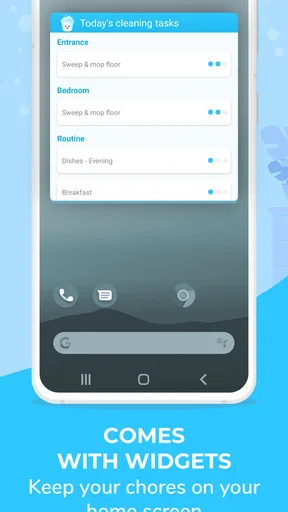
One thing I particularly love is how Sweepy breaks down every task into manageable chunks. It gets rid of that overwhelming feeling when facing a mountain of chores. Instead of tackling everything at once, you get to focus on what’s important each day.
Features That Make Sweepy Stand Out
Okay, let’s dive into the features because this app has a few tricks up its sleeve. First off, it’s all about personalization. You can set different difficulty levels for each task. So, if you’re not quite in the mood for heavy-duty cleaning, you can adjust accordingly.
The app also scores your cleanliness. I found it weirdly motivating to see my home’s cleanliness score improve over time. It’s like a game where you level up by keeping your space tidy!
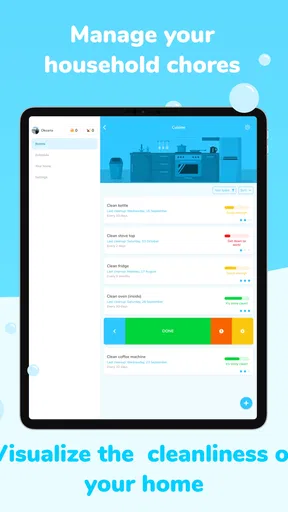
Another cool feature is the ability to track the last time you did a particular chore. This is super handy for those tasks you tend to forget, like cleaning the fridge or changing the air filters. No more wondering when you last tackled those annoying tasks.
Usability and User Experience
Now, onto usability. Sweepy is straightforward and doesn’t bombard you with unnecessary features. It’s like that friend who gets straight to the point. The app runs smoothly on both Android and iOS, and I didn’t experience any lags or bugs. It’s also pretty light on the battery, which is a huge plus.
Worth Reading Before You Choose

EA SPORTS FC Mobile 26 Is a Bigger Football Game, but It Takes Time

Flipboard Shows What News Apps Must Do Beyond the Feed

Switching to Android Auto Means Rethinking Your Driving Routine

Google Calendar Makes a Crowded Week Easier to Manage

Ludo King Makes the Most of the Minutes Between Plans

Baby Panda World Brings Quick Play to Modern Phones, but Its Game Library Feels Busy
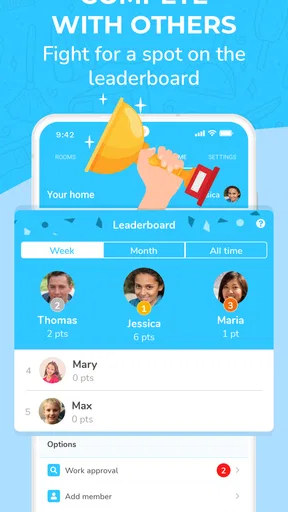
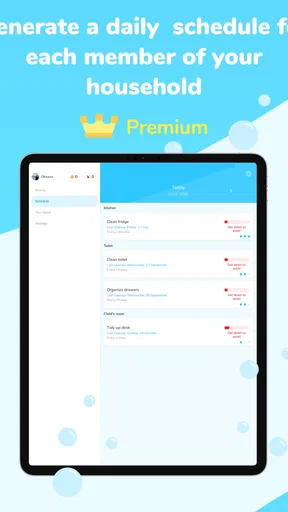
There’s a social aspect too. You can share tasks with family members or roommates, which is a lifesaver if you’re tired of being the only one picking up after everyone. You can even set up a little competition to see who can complete their tasks first. Who knew cleaning could become a fun family activity?
Is Sweepy For You?
If you’re someone who thrives on organization and loves checking things off a list, Sweepy might just be your new best friend. It’s ideal for busy families, roommates, or even just for managing your solo cleaning adventures. It turns the mundane task of cleaning into something that feels a bit more rewarding.
However, if you’re the type who prefers to wing it, or if your cleaning style involves a lot of spontaneity, you might find the structured setup a bit restrictive. But hey, everyone’s got their own style, right?
Final Thoughts
All in all, Sweepy: Home Cleaning Schedule has been a game-changer for my home cleaning routine. It’s simple yet effective, and it’s made keeping my home clean a tad more enjoyable. If you’re looking to bring some order to the chaos and want an app that grows with you, give Sweepy a try. Download it, set it up, and watch your home transform one task at a time.
Remember, a tidy home is a happy home—or at least one where you can find your keys in the morning!
Pros
- Intuitive user interface design.
- Customizable cleaning schedules.
- Supports multiple users and devices.
- Task reminders to stay organized.
- Syncs seamlessly with smart devices.
Cons
- Limited features in free version.
- No offline mode available.
- Ads can be intrusive at times.
- Occasional syncing issues.
- Requires account for full access.
FAQs for Sweepy: Home Cleaning Schedule
What is Sweepy: Home Cleaning Schedule?
Sweepy is an app designed to help users organize and manage their home cleaning tasks efficiently. It allows you to create a personalized cleaning schedule, assign tasks to different household members, and track progress over time. This app aims to make home maintenance easier and more systematic.
Is Sweepy free to use?
Sweepy offers a free version with basic features, but it also has a premium subscription option. The premium version unlocks additional features like advanced task scheduling, more customization options, and ad-free usage. Users can choose based on their needs and how extensively they want to use the app.
How does Sweepy help in managing cleaning tasks?
Sweepy helps by allowing you to break down cleaning tasks into manageable parts, set deadlines, and receive reminders. It tracks which tasks have been completed and which are pending. You can also assign specific chores to different family members, making it a collaborative effort to keep your home clean.
Can Sweepy be used by multiple family members?
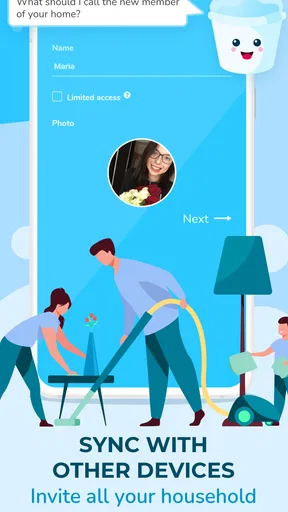
Yes, Sweepy is designed for multiple users. Family members can create profiles and receive individual task assignments. This feature ensures everyone knows their responsibilities and contributes equally to household chores, promoting teamwork and reducing stress associated with home cleaning.
Is Sweepy available on both Android and iOS?
Yes, Sweepy is available for download on both Android and iOS platforms. You can find it in the Google Play Store for Android devices and the Apple App Store for iOS devices. This cross-platform availability ensures that all users can integrate it into their daily routines regardless of their device preferences.


